
Table of Contents
01 What Is Refresh Rate | 02 Refresh Rate vs Frame Rate | 03 Human Perception | 04 Camera Compatibility | 05 Application Standards | 06 Greyscale & Colour | 07 Outdoor LED | 08 What to Ask Your Supplier | ✓ Refresh Rate Checklist | FAQ
Refresh rate is one of the most quoted LED display specifications — and one of the least understood. Buyers see 3,840 Hz on a datasheet and assume it means quality. Suppliers inflate the number knowing most buyers won't question it. This guide explains what refresh rate actually does, where it matters, and how to verify the spec before you commit to a purchase.
Refresh rate is the number of times per second an LED display redraws the image on its surface, measured in Hertz (Hz). A display rated at 3,840 Hz redraws its image 3,840 times every second.
LED displays do not produce continuous light the way a lamp does. They operate in rapid on-off cycles controlled by the driver IC chips on each module. At low refresh rates, these on-off cycles are fast enough to produce an image but slow enough that the human eye — or a camera sensor — can detect the flicker between cycles.
The higher the refresh rate, the shorter the dark interval between cycles, and the more stable and uniform the perceived brightness becomes. This is why refresh rate directly affects how a display looks both to live audiences and to recording equipment.
Refresh Rate (Hz) — the number of times per second the LED display hardware redraws the full image. Entirely separate from the frame rate of the source content. A 3,840 Hz display can receive a 60 fps video signal and still redraw each frame 64 times per second.
This is the most common point of confusion in LED display specifications. Refresh rate and frame rate are related but fundamentally different measurements.
- ▸Frame rate (fps) — how many unique frames of content the source signal sends per second. Standard broadcast video runs at 25 fps (PAL) or 29.97 fps (NTSC). High-frame-rate content runs at 60 fps or above.
- ▸Refresh rate (Hz) — how many times per second the LED panel hardware updates its output, independent of the incoming frame rate. The display controller handles the synchronisation between the two.
A display with a 3,840 Hz refresh rate receiving a 60 fps video signal redraws each frame approximately 64 times before the next frame arrives. This rapid redrawing is what eliminates perceptible flicker — not the frame rate of the source content.
Increasing source frame rate from 30 fps to 60 fps will make motion smoother. Increasing display refresh rate from 1,920 Hz to 3,840 Hz will eliminate flicker. These are two different improvements addressing two different visual problems.
The human visual system does not process light continuously. It integrates light over time, which is why rapid flickering at high enough frequencies becomes imperceptible. Understanding where the thresholds are determines the appropriate refresh rate for each application.
- ▸Below 480 Hz — Flicker is clearly visible to most viewers under normal lighting conditions, causing eye strain and fatigue over extended viewing periods. Unacceptable for any professional application.
- ▸480 Hz – 1,920 Hz — Flicker is not consciously perceived in direct vision but can cause subconscious eye strain in prolonged viewing environments such as control rooms, retail, and corporate spaces.
- ▸1,920 Hz – 3,840 Hz — Imperceptible to the human eye under virtually all conditions. Sufficient for live audience viewing in concerts, events, and outdoor advertising.
- ▸3,840 Hz and above — The professional standard for broadcast-compatible applications. Required not for human viewers, but for camera sensors which are significantly more sensitive to flicker than the human eye.
Peripheral vision is significantly more sensitive to flicker than central vision. A display that appears flicker-free when viewed directly may still cause discomfort in environments where it falls in the peripheral field of view — control rooms and trading floors being the most common examples. In these environments, 3,840 Hz is the minimum regardless of camera requirements.
Camera sensors capture light over a finite exposure period determined by shutter speed. When a camera's shutter speed is not synchronised with the LED display's refresh cycle, the sensor captures the display mid-cycle — recording a partial frame that appears as a dark horizontal band rolling up or down the screen during playback.
This phenomenon is called a rolling shutter band or scan line artifact, and it is the primary reason professional-grade LED displays target 3,840 Hz or higher — not because human viewers need it, but because broadcast cameras do.
The relationship between camera shutter speed and display refresh rate determines whether artifacts appear:
- ▸Standard broadcast cameras (1/50 or 1/60 shutter) — Require a minimum display refresh rate of 1,920 Hz to avoid rolling band artifacts under standard shooting conditions.
- ▸Professional cinema and mirrorless cameras (variable shutter) — Require 3,840 Hz minimum across a range of shutter speeds. A display at 3,840 Hz paired with a camera at 1/500 shutter speed will still produce clean results.
- ▸High-speed cameras (slow-motion at 120fps, 240fps, or higher) — Require display refresh rates of 7,680 Hz or above. At slow-motion frame rates, the camera effectively has a very fast shutter, making it far more susceptible to capturing the LED refresh cycle mid-transition.
For XR studio and virtual production LED walls, camera compatibility is not optional — it is the primary specification. The entire value of an XR LED volume depends on clean, artifact-free capture. Any rolling band artifacts render the content unusable.
Different applications have different minimum requirements. Specifying a higher refresh rate than necessary adds cost without adding performance benefit. Specifying too low creates visible problems that cannot be corrected in post-production.
- ▸Outdoor advertising displays — 1,920 Hz minimum for general public viewing. 3,840 Hz recommended for any installation near sports venues, broadcast events, or high-traffic areas with smartphone photography.
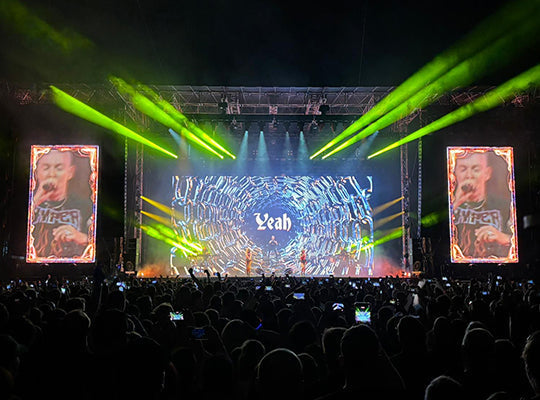
- ▸Stage rental and live events — 3,840 Hz minimum for all productions with IMAG camera coverage. 7,680 Hz for productions with slow-motion camera systems.
- ▸XR studio and virtual production — 3,840 Hz absolute minimum, 7,680 Hz standard. Moire patterns and camera artifacts at lower refresh rates make content unusable for in-camera VFX.
- ▸Indoor commercial displays — 1,920 Hz sufficient for retail and corporate environments without camera coverage. 3,840 Hz recommended for control rooms and spaces with extended human viewing periods.
Refresh rate and greyscale depth are technically linked in LED display design. Understanding this relationship helps explain why increasing refresh rate without a corresponding increase in driver IC capability can compromise image quality.
LED displays control brightness per pixel by rapidly switching LEDs on and off at sub-frame intervals — a technique called Pulse Width Modulation (PWM). The duration of each on-pulse within a refresh cycle determines the perceived brightness of that pixel.
At higher refresh rates, each individual cycle is shorter. If the driver IC does not have sufficient bit depth to subdivide this shorter cycle into enough brightness steps, the display loses greyscale resolution — dark tones compress, shadow detail collapses, and banding appears in gradients.
The specification to look for alongside refresh rate is greyscale bit depth:
- ▸13-bit greyscale — 8,192 brightness levels. Minimum for professional applications at 3,840 Hz.
- ▸14-bit greyscale — 16,384 brightness levels. Industry standard for broadcast and XR studio applications. Preserves shadow detail and smooth gradients at high refresh rates.
- ▸16-bit greyscale — 65,536 brightness levels. Required for HDR content and high-end film production applications.
A display quoted at 7,680 Hz with 10-bit greyscale will produce inferior image quality to a display at 3,840 Hz with 14-bit greyscale. Refresh rate and greyscale depth must be evaluated together, not in isolation.
Outdoor LED displays operate in a different context from indoor screens, and refresh rate requirements reflect that difference. The primary considerations for outdoor applications are smartphone photography, ambient light conditions, and proximity to broadcast events.
Modern smartphones use rolling shutter sensors with variable shutter speeds, often shooting at 1/1000 or faster in bright outdoor conditions. At these speeds, even a 1,920 Hz display can produce faint banding in smartphone photographs — a problem that becomes a brand issue when images of your advertising display circulate on social media showing visible scan lines.
For outdoor advertising LED displays in high-traffic urban environments, 3,840 Hz has become the de facto standard, driven not by broadcast requirements but by the ubiquity of smartphone photography among the viewing public.
Fine pitch outdoor Micro LED displays in the P0.7 to P3 range are increasingly deployed in premium urban environments — flagship retail facades, smart city installations, and high-footfall transit hubs. In these locations, 3,840 Hz is the minimum specification, with 7,680 Hz increasingly specified for landmark installations where the display itself is a subject of photography and social media content.
Refresh rate is one of the most inflated specifications in the LED display industry. Suppliers quote peak refresh rates achieved under optimal lab conditions, at elevated drive currents, or using non-standard measurement methodologies. The number on the datasheet and the number in operation can be significantly different.
Three questions to ask before accepting any refresh rate specification:
- ▸"Is this refresh rate achieved at rated drive current?" — Some manufacturers overdrive LED chips beyond rated current to achieve higher refresh rates. This inflates the spec but shortens LED lifespan and voids most warranties. Request the photometric test report at rated current.
- ▸"What greyscale bit depth is maintained at this refresh rate?" — A display claiming 7,680 Hz should be able to demonstrate 14-bit greyscale at that rate. If bit depth drops when refresh rate increases, the high refresh rate figure is misleading.
- ▸"Can you demonstrate camera compatibility on site before installation?" — Any supplier confident in their refresh rate specification should support a pre-installation camera test. Bring your production camera, shoot at your intended shutter speed, and verify the results before accepting delivery.
Before confirming any LED display order, verify the following with your supplier:
- ✓ Refresh rate confirmed at rated drive current, not peak specification
- ✓ Greyscale bit depth confirmed at stated refresh rate (minimum 14-bit for professional applications)
- ✓ Refresh rate ≥ 3,840 Hz for any application with broadcast camera coverage
- ✓ Refresh rate ≥ 7,680 Hz for XR studio, slow-motion, or high-speed camera applications
- ✓ Camera compatibility test arranged before installation sign-off
- ✓ Control system (NovaStar or Colorlight) supports stated refresh rate and greyscale combination
- ✓ For outdoor displays: 3,840 Hz minimum confirmed for smartphone photography environments
- ✓ Factory test report available showing refresh rate measurement methodology
VMX Visual's full product range meets broadcast-standard refresh rate requirements across all four application categories, with EU warehouse stock in Belgium, Italy, and France for fast delivery across Europe.
References & Standards
- International Electrotechnical Commission (IEC) — LED display measurement standards and flicker assessment methodology
- AVIXA — Audiovisual display performance and image quality standards
- NovaStar — LED display control system refresh rate and greyscale specifications




Share:
Stories Behind the Screens: VMX Visual at ISLE 2026
What IP Rating Does an Outdoor LED Display Actually Need?